 Sagt
Sagt
Speech becomes text on your own Mac and iPhone
Sagt transcribes meetings, interviews and audio files, and gives you timecodes, summaries and answers to questions about your recordings. Audio and text stay on your device. No account, no cloud.


Free to download.
iPhone and iPad now, Mac coming soon.
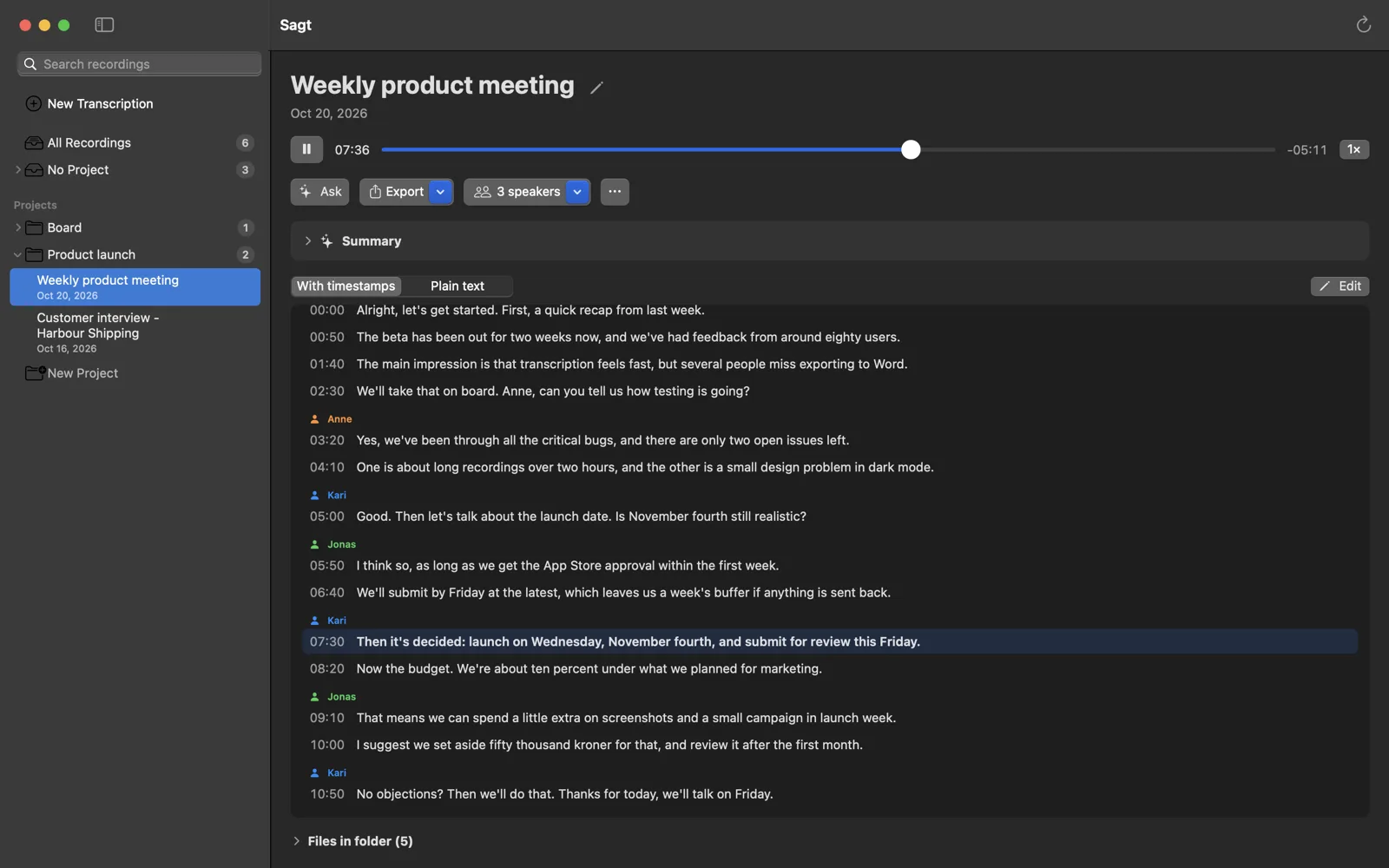
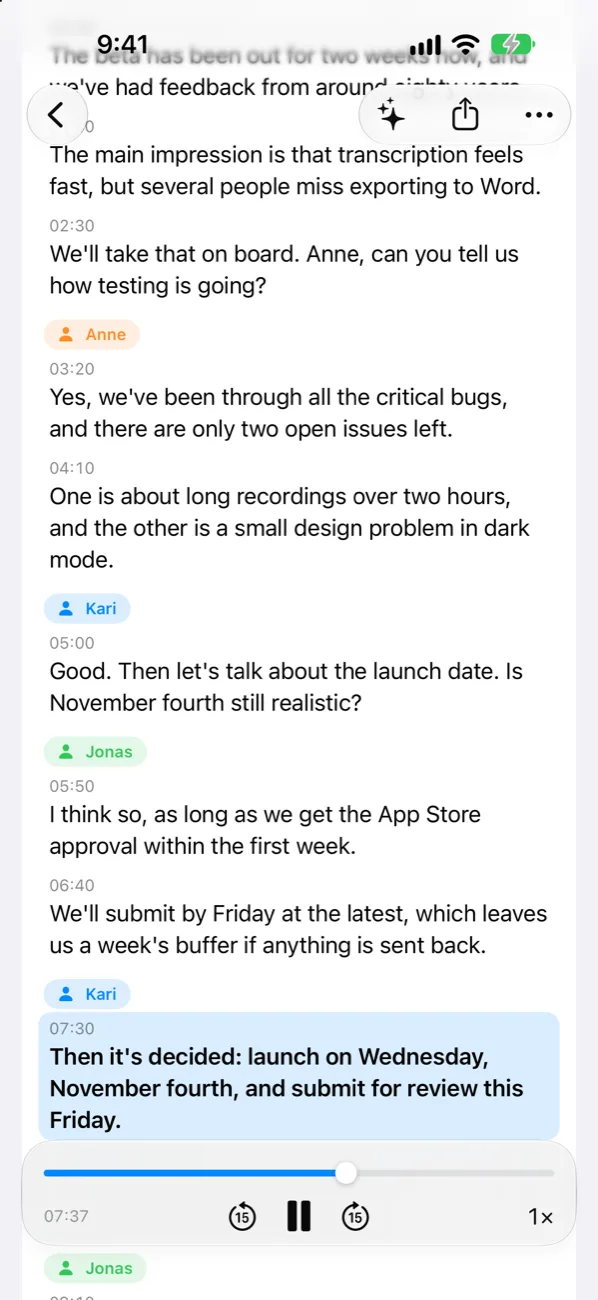
- Anne
Yes, we’ve gone through all the critical bugs, and there are only two open issues left.
One of them is about recordings longer than two hours.
- Kari
Good. Is the fourth of November still realistic?
- Jonas
I think so, as long as App Store approval comes through in the first week.
- Kari
Then it’s decided: we launch on Wednesday the fourth of November.
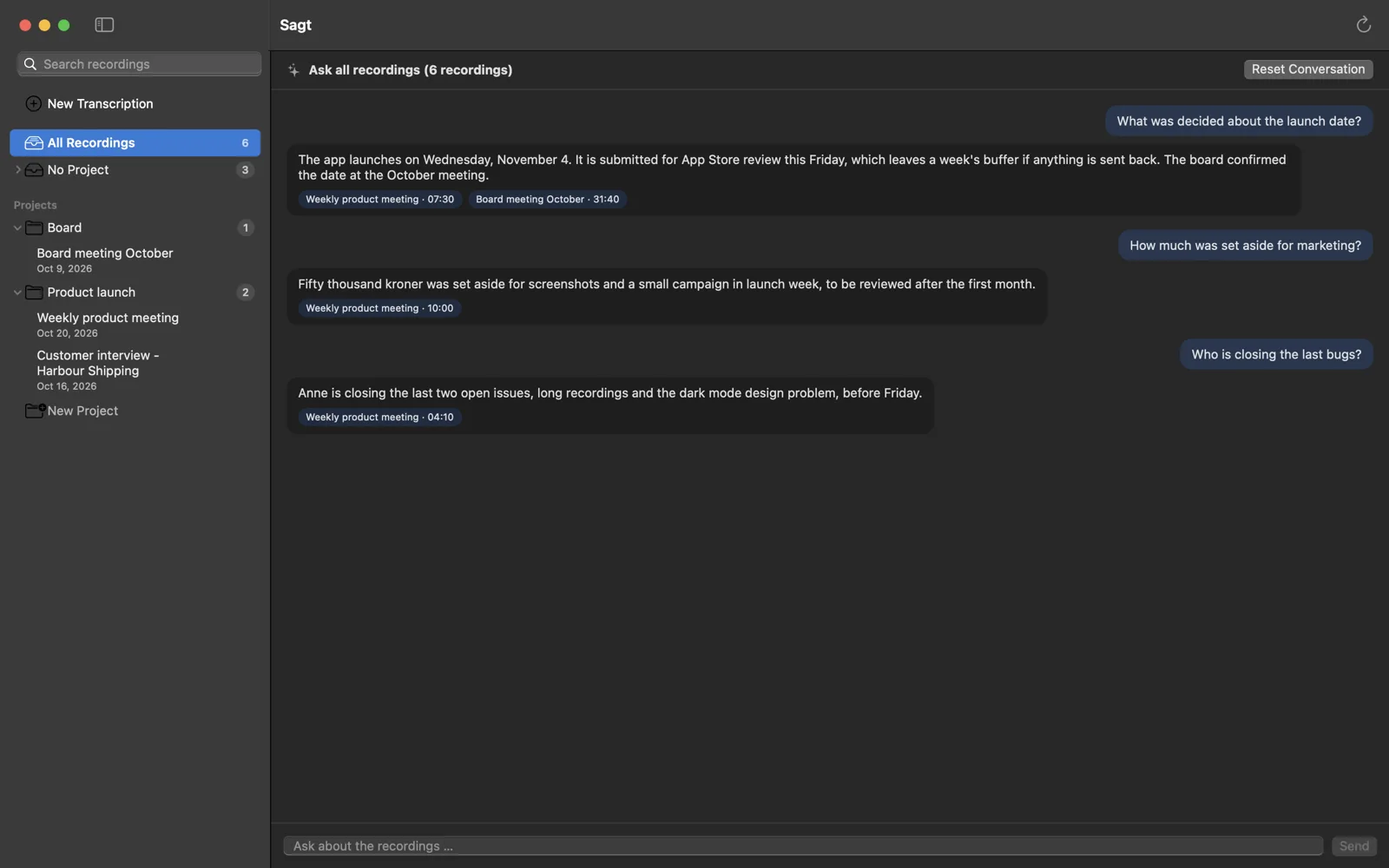
Ask all your recordings, and hear the answer yourself
Ask a question about one recording or a whole project: “What was decided about the launch date?” The answer shows who said it, in which recording and when.
Tap the source, and the quote plays. You hear that it was really said, instead of trusting a summary blindly.
Questions across a whole project require Sagt Pro. Questions and summaries use Apple Intelligence on the device, and transcription works without it.
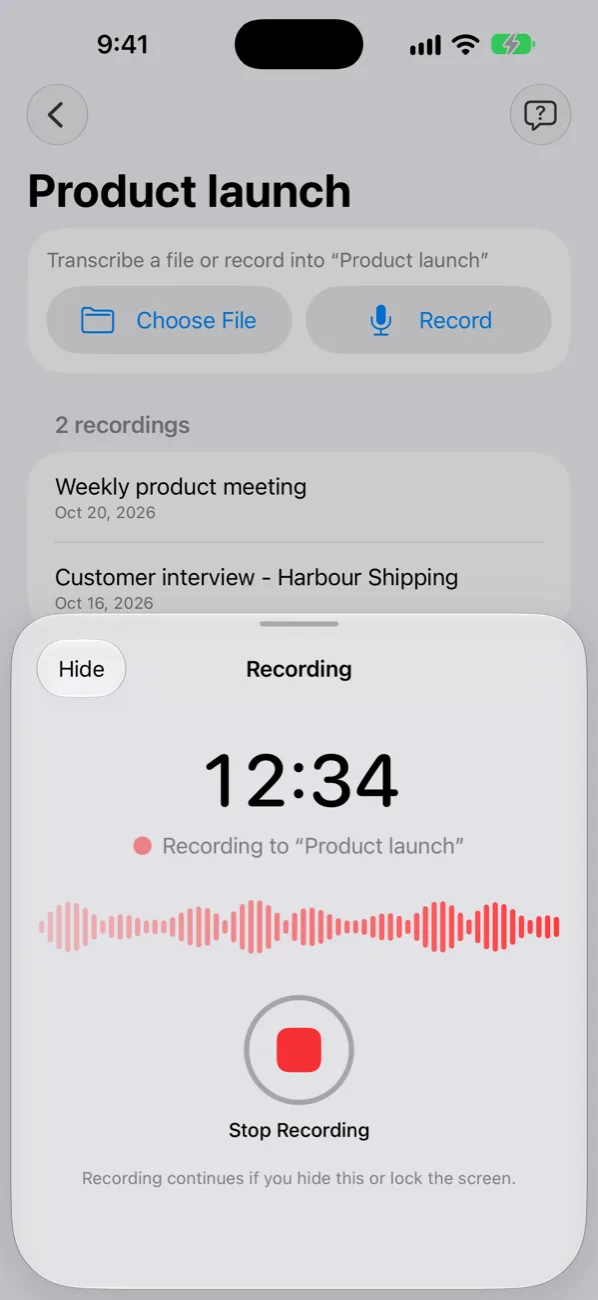
Put your phone on the table and lock the screen
Sagt keeps recording the meeting with the screen locked. When you stop, the recording is transcribed automatically, and the work can carry on in the background.
With Sagt Pro, speakers are found while the recording is transcribed. Name them once, and their names appear right in the text.
Recordings from Voice Memos, Files and other apps can be shared straight to Sagt.
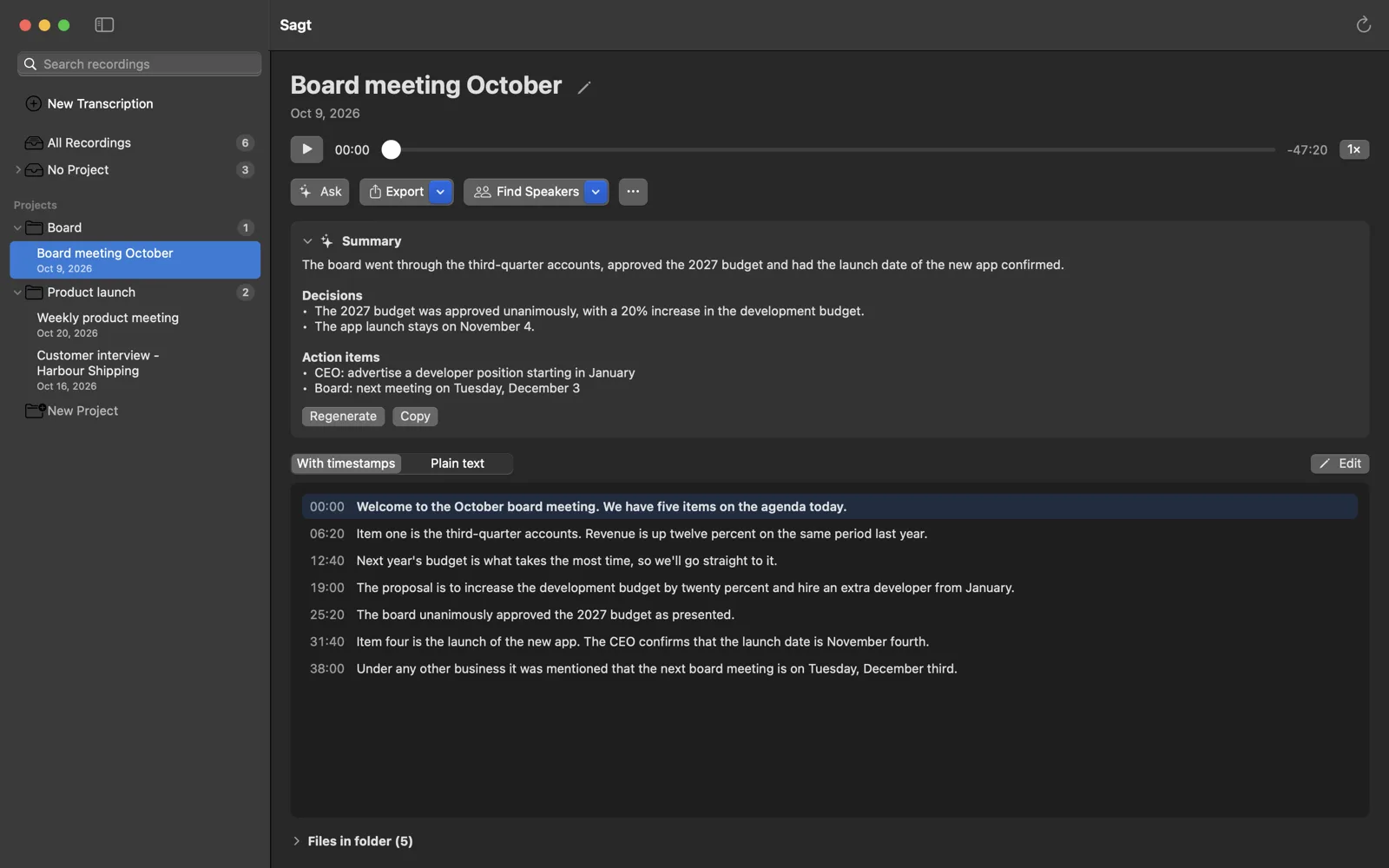
Summaries with decisions and who does what
After the meeting you get a short summary, the decisions and the action items with an owner and a deadline. The timecode next to each item plays that moment in the recording.
“Copy as Task List” gives you a checklist to paste into Jira, Linear or GitHub.
More in Sagt
- Made for Norwegian, works in English
- Choose from several Whisper models, including NB-Whisper from the National Library of Norway. Sagt recommends the one that suits your device.
- Compare models
- Transcribe again with another model. The previous version is kept, so you can view them side by side.
- Your own words
- Teach Sagt names and technical terms, so they are spelled correctly.
- Search every recording Pro
- Find what was said, and jump straight to that moment in the audio.
- Record Teams and Zoom Pro
- On Mac, Sagt records the audio your computer plays, together with the microphone if you like.
- Word, Markdown and subtitles Pro
- Export with timecodes, or as SRT and WebVTT. Subtitles can be offset to the start timecode of the video clip.
Your audio never leaves your device
Meetings and interviews are often confidential. Sagt transcribes on your Mac, iPhone or iPad, and audio and text are never uploaded. There is no account, no tracking and no analytics of how you use the app.
Read the full privacy policy.
This is all the network traffic Sagt has:
- The language model you choose0.6–3 GB, onceDownloaded from Hugging Face when you press “Download”.
- The speaker modelabout 25 MB, onceThe first time Sagt looks for speakers.
- Buying Sagt Prothrough AppleApple handles the payment. Sagt receives no information about you.
Free to use, and Sagt Pro is one purchase
No subscription. The purchase works on Mac, iPhone and iPad with the same Apple Account.
Free
For recordings of up to 10 minutes
- Every model, including NB-Whisper
- Edit the text
- Summaries and questions about one recording
- Copy, share and save as plain text
Sagt Pro
One-time in-app purchase. 99 NOK in Norway; the price in your country is shown in the App Store.
- Recordings of any length
- Who said what, with speaker names
- Projects, and questions across a whole project
- Search across all recordings
- Record audio from Teams and Zoom on Mac
- Word, Markdown, SRT and WebVTT with timecodes
- Audio clips
Requirements and common questions
| Mac | Apple silicon (M1 or later) and macOS 14 or later |
|---|---|
| iPhone | iPhone 13 or later, or iPhone SE (3rd generation), with iOS 26 |
| iPad | iPadOS 26 |
| Storage | 3–8 GB free during the download, depending on the model |
| Internet | Only the first time, to download the models |
| Apple Intelligence | Only for titles, summaries and questions: macOS 26 or iOS 26 on a supported device |
Do I need an internet connection?
Only to download the models. The first time you press “Download”, Sagt fetches the language model from Hugging Face. The speaker model (about 25 MB) is downloaded the first time speakers are to be found. After that, Sagt works offline.
Which model should I choose?
Start with the one Sagt recommends. For Norwegian speech, NB-Whisper usually gives the best result. If you want the text quickly, or your device has little memory, a smaller model is a good choice. You can always transcribe again with another model and compare.
Does Sagt work with English?
Yes. Sagt is made for Norwegian, but it transcribes English as well.
Where are my recordings and transcripts stored?
On Mac, in the library folder you chose. On iPhone and iPad, in the Sagt folder in the Files app. Nothing is uploaded.
Why don’t I see summaries or questions?
These features use Apple’s on-device language model. They require macOS 26 or iOS 26 and a device where Apple Intelligence is supported and turned on. Right after you turn on Apple Intelligence, it can take a while before the model is ready.
How do I get Sagt Pro on another device?
Use the same Apple Account, and tap “Restore Purchase” in Sagt. The purchase works on Mac, iPhone and iPad.
Didn’t find the answer?
Email support@sagtapp.com. It helps to describe what happened, and which device and version of Sagt you use.